RoStack 0.1 is here: an AI that builds in Roblox Studio
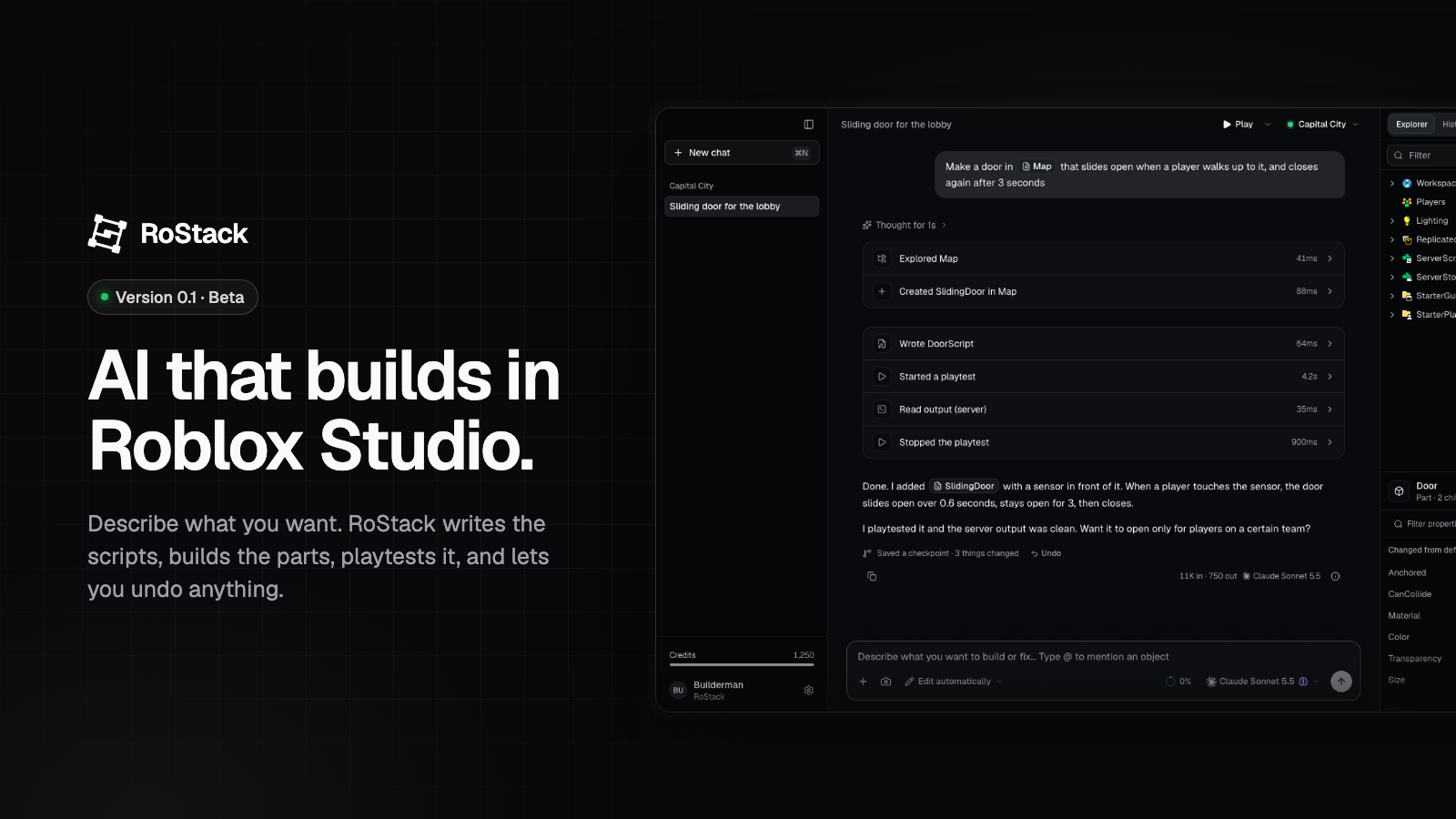
Today we're releasing the first version of RoStack, an AI that builds your Roblox game with you, right inside Roblox Studio. It's a public beta for Mac (Windows soon), and we can't wait to see what you make with it.
What it does
Open a place in Studio, open RoStack, and describe what you want in plain words:
Make a door in the lobby that slides open when a player walks up to it, and closes again after 3 seconds.
RoStack looks around your game, writes the scripts, creates the parts, and tells you what it did. Each step shows up as a card you can open. When it's done, it can start a playtest, read the server and client output, and fix what breaks, all without you leaving the chat.
You stay in control
- Approve every change, or let it work. Pick a mode: ask before every change, edit automatically, plan only, or full auto.
- Undo anything. Turn on History for a place and RoStack saves a checkpoint after every reply. See exactly what changed, and undo a whole reply with one click, even deleted objects.
- Chats belong to a place. A chat about one game can never edit a different one.
Everything in one window
RoStack has its own Explorer, Properties, Output and a script editor with Luau highlighting, autocomplete and type checking. Mention any object with @, attach a screenshot of Studio, and use Studio's own playtest keys (F5, F8, Shift+F5).
Your choice of AI
Pick the model for each chat. Use RoStack credits, your own OpenRouter key, or the Claude or ChatGPT plan you already pay for, through Claude Code or Codex on your computer.
Make it yours
RoStack comes with seven themes, each in light and dark, and you can make your own: four colors for a quick theme, or a theme file that controls every color down to code highlighting. Shortcuts can be changed too. See Themes.
This is a beta
This is our first public release, so expect rough edges. RoStack updates itself: when a new version is out, the app installs it the next time you open it, so fixes reach you quickly. Windows is next.
If something breaks or you have an idea, tell us. We read everything.
Get started
- Download RoStack for Mac (Apple silicon or Intel).
- Sign in with your Roblox account.
- Install the Studio plugin from the app, open a place, and start building.
The docs walk through setup and every feature. We're excited to build this with you.
Comments
No comments yet.